Wednesday, 6 April 2016

Tuesday, 5 April 2016
free calls for everyone,everywhere, even on 2g
high voice qualityUnlike Skype or Viber, nanu uses up to 80% less bandwidth that works perfectly well even on 2g and congested networks. In other words, it works anywhere your phone does. Plus nanu sounds crisper and clearer.
nanu-out callsEnd your phones bills today! Experience a free voice-call to any landlines or mobile phones anywhere in the world without the need for you to pay. The more free Tapjoy apps you download, the more free credits you get.
messagingMissed a call? We got your back, nanu offers free and unlimited one-to-one messaging exclusive to all nanu users. Start sending messages today!
nanu-out callsEnd your phones bills today! Experience a free voice-call to any landlines or mobile phones anywhere in the world without the need for you to pay. The more free Tapjoy apps you download, the more free credits you get.
messagingMissed a call? We got your back, nanu offers free and unlimited one-to-one messaging exclusive to all nanu users. Start sending messages today!
why nanu
what is nanu
https://www.youtube.com/watch?v=Q4XKCSSkgYY
Follow Me If you like it.
Saturday, 26 March 2016
How to Download Youtube Video on Android Mobile
Videoder – Youtube Downloader For Android App Screenshot

Videoder is another great video downloading app for Android devices. With this app user can download shared videos from the internet. Downloading videos using this app is just a two step process. All you need to do is simply search for the video in the browser and download it from the result list that appears on the screen. Yes, this is all you need to do. One peculiar feature in this app is its resume function. You can now resume your interrupted videos. There is no longer the need to get frustrated over network interruptions. This will save you time as well as your useful data.You can download videos in all formats.
Wednesday, 23 March 2016
Free Android Video Converter, Convert videos
Now i am going to tell that how to convert videos on android phones. I will not tell you that fifty best video converter for android phone, Actually i am telling you the best one app for converting videos on android phones. And it's video converter name is VidTrim that is free and VidTrim pro is not free of cost.
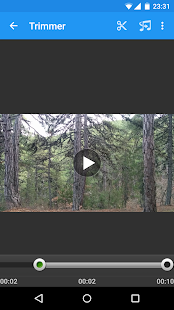
To download VidTrim Video converter open this link.
http://bit.ly/1U836je
If you like it comment below for help others.
To download VidTrim Video converter open this link.
http://bit.ly/1U836je
If you like it comment below for help others.
How To Download Any Video Online On Android Phone
Hello Friends
Streaming videos on your Android device is a great way to watch video on the go, but it can put a strain on your data plan, and if you lose signal then you lose the video. If you download the video instead, you can watch it any time. Follow this guide to learn how.This method only required to download uc browser. This is a simple and fast trick that allows you to download online videos. Only download this version,because only this version works to download any video from any website. To download this uc browser version apk file Just open this link.
http://7ba.org/ex/download/1351411/ucbrowser-v10-8-8-730-pf145-ru-intrialapollo-build160224221603-.apk

After download it just install and play video online from anywhere without youtube. If you want to know anything commnet below. if you like comment below for others.
Saturday, 12 March 2016
How to share your Android WiFi connection via Bluetooth
1 Open the Settings application.Tap menu button from home screen and search for "setting".One can also access setting by Pulling down notification panel and taping on Setting Icon.
2 Tap "More". Under Wireless & Networks Section , Tap More... This maybe under a different section/tab depending on the customizations made by your manufacturer.
3 Select "Tethering & mobile hotspot". This feature might also be named as "Tethering & Portable hotspot". In some cases, the option to activate is bluetooth and Wi-Fi hotspots is separate under the "more settings" section. If such is the case, skip ahead.
4 Tap "Bluetooth tethering".Tapping "Bluetooth tethering" will automatically first enables device's bluetooth followed by bluetooth tethering,If device ask for permission to enable bluetooth,grant it.
5 Connect to your other device using bluetooth.
6 Terminate Bluetooth tethering. Just uncheck the "Tethering & Portable hotspot" box and connection will be terminated.
* Your bluetooth might stay on after you unchecked the Box. Swipe down from the top and click the Bluetooth icon to turn it back off.
Subscribe to:
Posts (Atom)